


Care planned together, one visit at a time.
Your team answers first messages with care and books the weekly series. We set up appointment reminders in words your practice chooses.
Book a demo


Trusted by 150+ clinics and hospitals.
Single practices, groups and hospitals across the UAE answer, book and follow up with their patients on Zavis.
clinics and hospitals running on Zavis
patients managed on the platform
messages handled in the last 30 days
Platform-wide figures. Patients and conversations: all time to 14 Oct 2026. Messages: 30 days to 14 Oct 2026.
Every course of care on its own rhythm.
Your clinicians choose the appointment rhythm. Your team books the series and schedules follow-ups; we set up reminders for your practice.
Individual therapy
A session rhythm agreed with your clinician
Psychiatry
Visits and reviews chosen by your clinician
Couples therapy
A session rhythm agreed with your clinician
Group programme
An illustrative series, agreed with the practice
Illustrative schedule. Your clinicians decide each patient’s care; staff schedule follow-ups. Reminder setup varies by clinic.
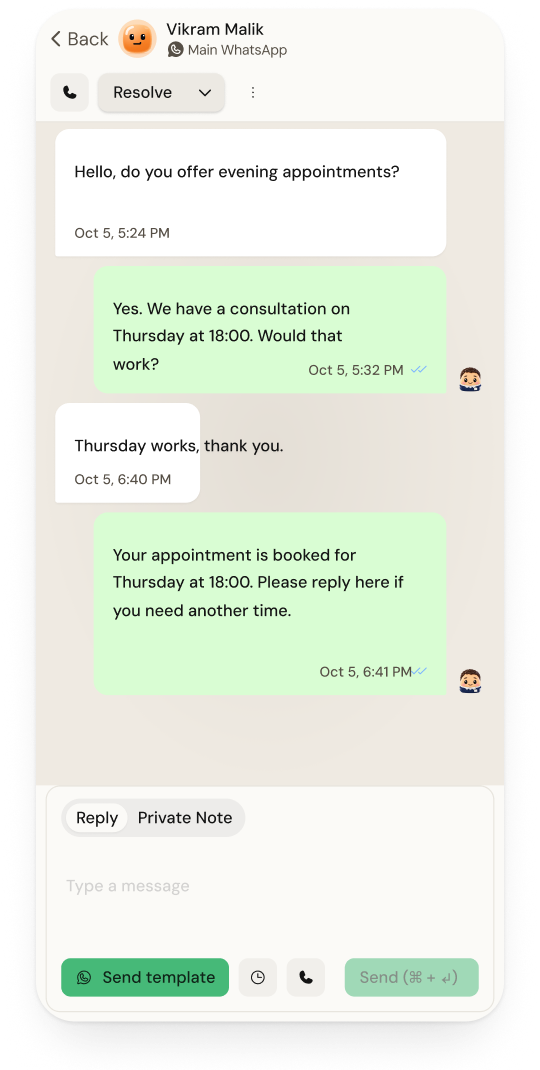
First messages, answered with care.
Many people write late at night, and many write only once. Messages from WhatsApp, Instagram, your website and email land in one inbox, so none of them waits unseen.
- 01
An honest reply after hours
Set your opening hours and an away message in your own words, so a late message is never met with silence.
- 02
Zavis AI drafts, your team approves
Turn on approval and every reply Zavis AI drafts waits for a person to send, edit or discard it.
- 03
An intake form before the first session
Share your intake form in the chat. We confirm how your form and its responses connect during setup.
The same hour, every week.
Most clients keep a standing slot. Book the whole series once, and keep the evening hours full when plans change.
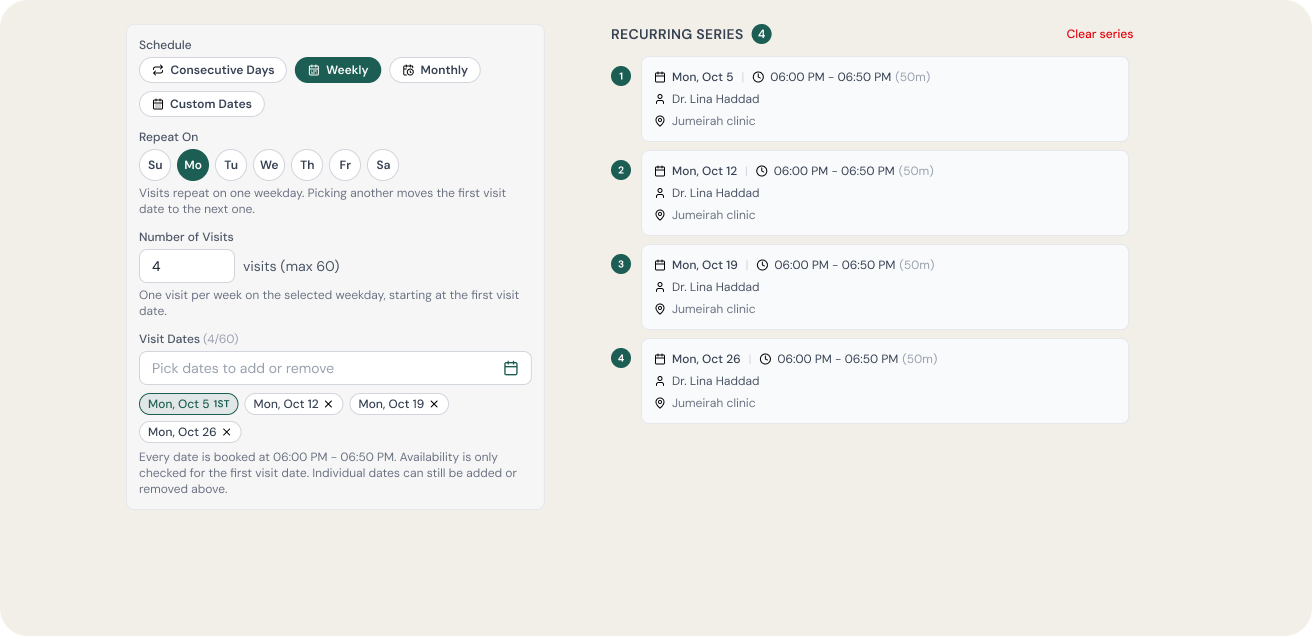
Sample course booking · up to 60 visits. Your team reviews each date before saving.
Discreet by design, down to the words.
Clients trust you with more than a booking. Zavis holds the conversation and the appointment; your clinical record stays in your EMR.
- 01
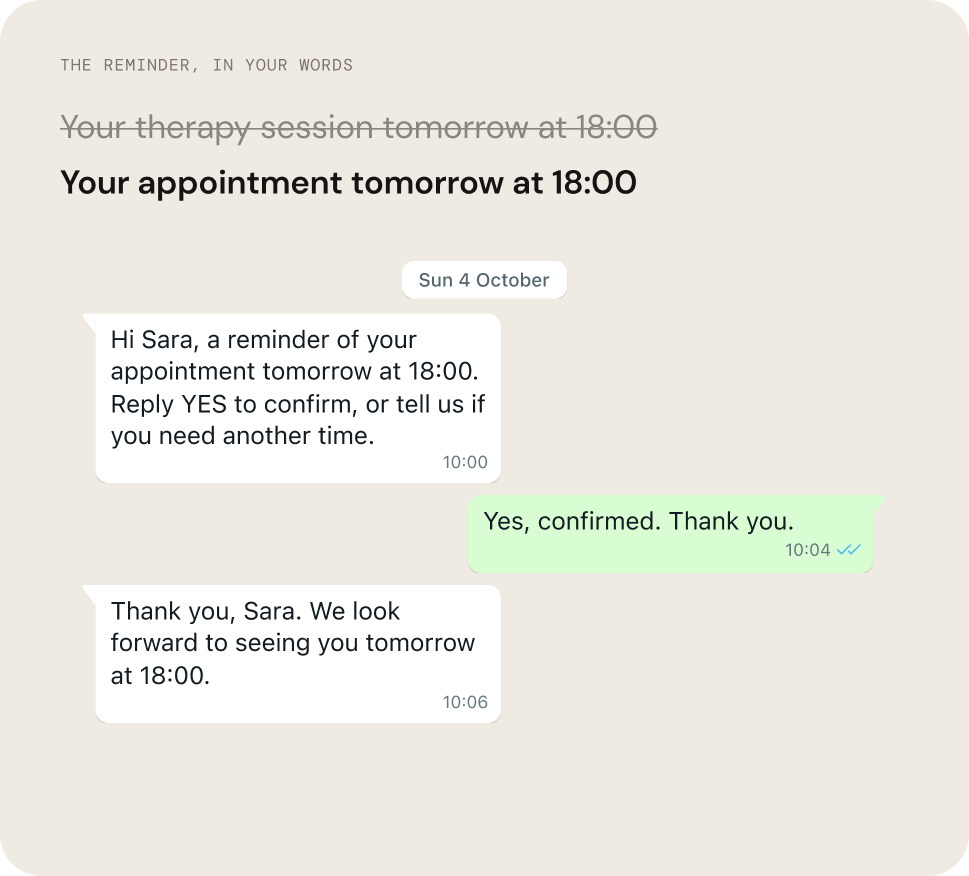
Words you choose
You write every template. A reminder can say “your appointment” and nothing more.
- 02
Messages on or off per booking
Choose per booking whether to send a message, in English or Arabic, with or without the clinician’s name.
- 03
Notes the client never sees
Private notes and @mentions stay inside the thread, for your team only.
- 04
Each role sees its own work
Front desk, clinicians and marketing see only the chats, contacts and reports their role allows.
- 05
Exports and deletes by admins only
Bulk exports, imports and deletions of client data are limited to your administrators.
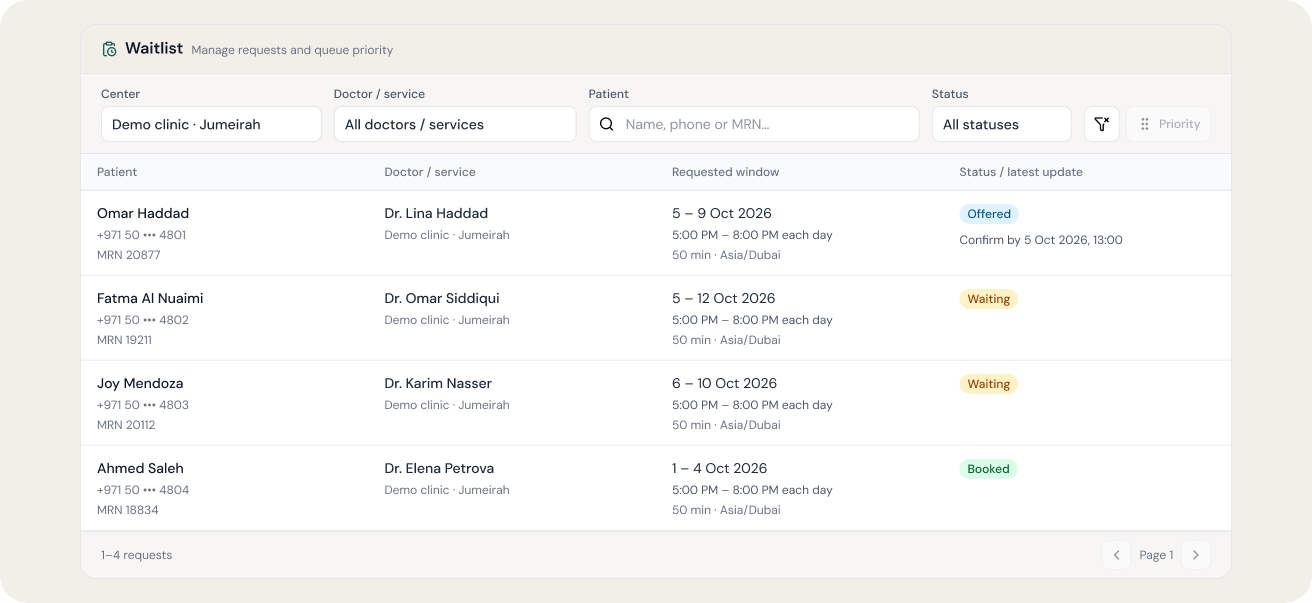
When an hour frees up, check who is waiting.
Waitlists are available on supported Practo Insta setups. Clients choose the hours they can attend; we confirm the setup with your practice.
Works with your EMR, set up by our team.
Keep the system your clinicians already use. We confirm what Zavis reads and writes for your EMR before you start.



Bookings write back to Practo Insta today. For other systems, what Zavis reads and writes is confirmed during onboarding.
- 01
We connect your systems
Your WhatsApp numbers, Instagram, website and EMR, checked against your setup before we start.
- 02
We word the messages with you
Reminders, the away message and your intake form, agreed with your clinicians before anything goes out.
- 03
We train your team on site
Training at your practice in Arabic and English, then a supervised go-live.
What practices ask us first.
Straight answers. If yours isn’t here, we’ll answer it on the demo.
Does Zavis keep therapy notes?
No. Your EMR stays your clinical record. Zavis holds the conversations, bookings and reminders around it, with private notes for your team’s handovers.
Can a reminder leave out the service?
Yes. You choose the wording and whether a booking message goes out. It can include the time, with the clinician’s name shown or hidden.
Will Zavis AI reply to my clients?
Only if you want it to. Turn on approval and every reply Zavis AI drafts waits for your team to send, edit or discard it.
Can clients keep a weekly hour?
Your team books the series in one go, up to 60 visits. We set up appointment reminders with your practice.
What if someone writes in crisis?
Zavis is not a crisis service. We set up your out-of-hours reply with you, so it gives your own emergency guidance and numbers.
What does it cost?
Your plan is built around your practice: channels, branches and the modules you use. We quote it after a short call.
