


Your app’s chat in the inbox
Patients write from your own app. Your team answers next to WhatsApp and Instagram.
IN
API inbox
API and webhooks
Zavis tells your systems when a patient writes, a chat closes or a contact changes. Your own app can send messages into the shared inbox. Available on request, and set up by our team with yours.
Book a demoWebhooks, out to your URL
message_createdconversation_status_changedmessagescontactsAPI, into Zavis

Example events. Each connection is set up with your developer by our team.
Pick the ones your systems need. Each one reaches your URL as JSON, with its conversation, patient and inbox attached.
| When this happens | Event |
|---|---|
| A message is sent or received | message_created |
| A message is edited or its status changes | message_updated |
| A patient starts a new chat | conversation_created |
| A chat is resolved, reopened or snoozed | conversation_status_changed |
| A chat’s labels, owner or details change | conversation_updated |
| A new contact is saved | contact_created |
| A contact’s details change | contact_updated |
| Someone opens your website chat | webwidget_triggered |
| Someone starts typing in a chat | conversation_typing_on |
| They stop typing | conversation_typing_off |
{
  "event": "message_created",
  "id": 48213,
  "message_type": "incoming",
  "content": "Can I move my teeth cleaning to Thursday?",
  "created_at": "2026-10-23T09:41:12Z",
  "sender": {
    "name": "Ayesha Nair",
    "phone_number": "+971500000123"
  },
  "conversation": {
    "id": 7715,
    "channel": "Channel::Whatsapp",
    "status": "open",
    "labels": ["reschedule"]
  },
  "inbox": { "id": 5, "name": "Bright Smile WhatsApp" },
  "account": { "id": 2, "name": "Bright Smile Dental" }
}
An example message_created payload with demo data, shortened.
Set up by our team. One URL per webhook.
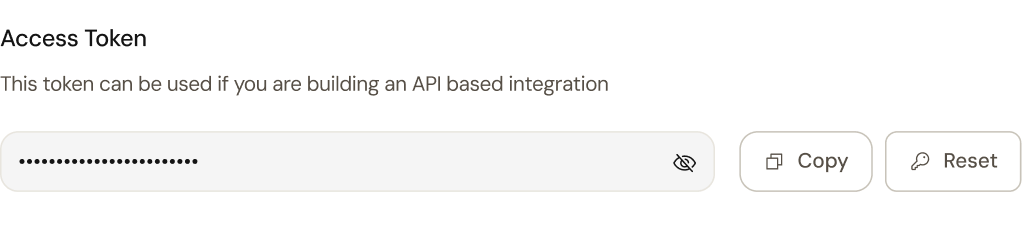
Our team adds your webhooks. Your developer copies the API inbox identifier and their own access token from Zavis settings.
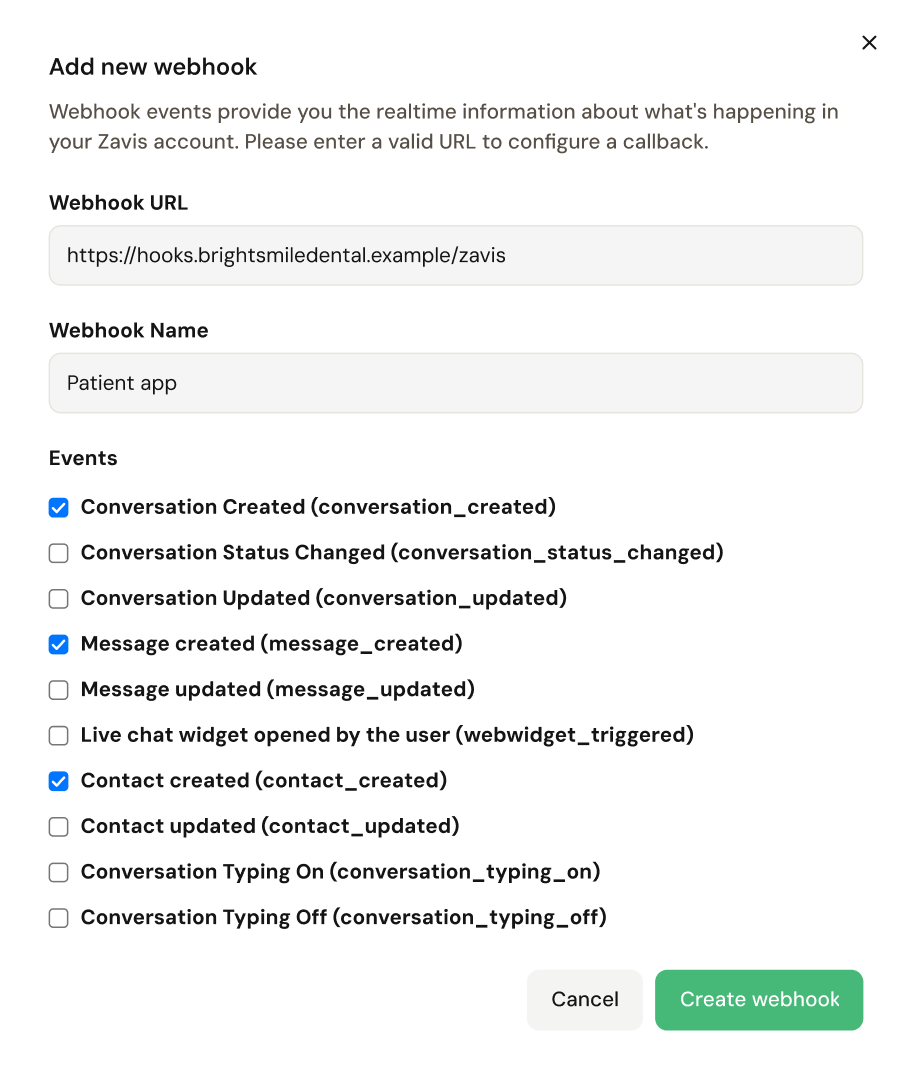
Settings · Integrations · Webhooks · added by our team
Profile · Access token
Every user has a personal token to copy or reset.
Settings · Inboxes · API inbox
Your app’s chat gets its own inbox and identifier.
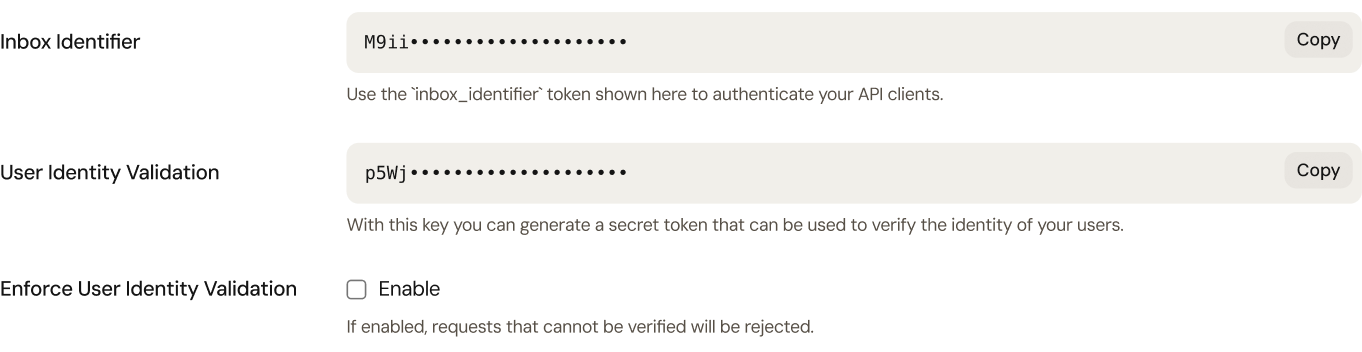
Real Zavis screens with demo data. Keys hidden.
Some of what your developer can do with it. Tell us what you need, and we check it during setup.
Patients write from your own app. Your team answers next to WhatsApp and Instagram.
API inbox
When Zavis saves a contact, your system gets the name, phone and email.
contact_created
When a chat is resolved, mark the enquiry done in your own tools.
conversation_status_changed
Post a message into a patient’s conversation. WhatsApp’s 24-hour rule still applies.
POST messages
Read conversations and contacts into the dashboards your owners already use.
GET conversations
When a chat’s labels or owner change, your system receives an update.
conversation_updatedAPI access isn’t self-serve. Tell us what you’re building, and our team switches on what you need and tests it with your developer.
The systems, the events you need and who is building it.
An API inbox and webhooks to your URL, agreed with your developer.
With their personal access token from Zavis, found under Profile.
We check the first events and messages with your developer before go-live.
Anything else, bring your developer to the demo and ask us directly.
No. API and webhooks are on request. Our team switches them on for your account and sets them up with your developer.
With a personal access token. Every Zavis user has one under Profile, sent as the api_access_token header. You can reset it at any time.
Ten. New and updated conversations, messages and contacts, a change in a chat’s status, website chat opens, and typing on and off.
Yes, through an API inbox. Its messages sit in the shared inbox with WhatsApp and Instagram, and your team replies from Zavis.
Bring your IT lead. We review the data your integration needs, access controls and hosting before go-live.
Our team manages webhooks. Admins see additions, changes and removals in the audit log, with who did it and when.
